Simplify QuickBooks Management with QuickBooks Integration with Bookkeepers
Managing your business finances can feel overwhelming. When you use QuickBooks, you already have a powerful tool at your fingertips. But combining it with expert bookkeeping support can make your financial management smoother and more efficient. I want to share how quickbooks integration with bookkeepers can simplify your accounting tasks and help you focus on growing your business.
Why QuickBooks Integration with Bookkeepers Matters
QuickBooks is designed to help small businesses track income, expenses, and taxes. However, even the best software can become complicated without the right support. Integrating QuickBooks with professional bookkeeping services means you get the best of both worlds: smart software and expert human insight.
When your bookkeeping is integrated with QuickBooks, your financial data is always up to date. This integration allows bookkeepers to access your accounts remotely, review transactions, categorize expenses, and prepare reports in real time. You don’t have to worry about manual data entry or missed deadlines.
For example, imagine you run a small retail store. Every day, sales, purchases, and bills come in. With QuickBooks integration, your bookkeeper can automatically import bank transactions, match them to invoices, and flag any discrepancies. This saves you hours of work and reduces errors.
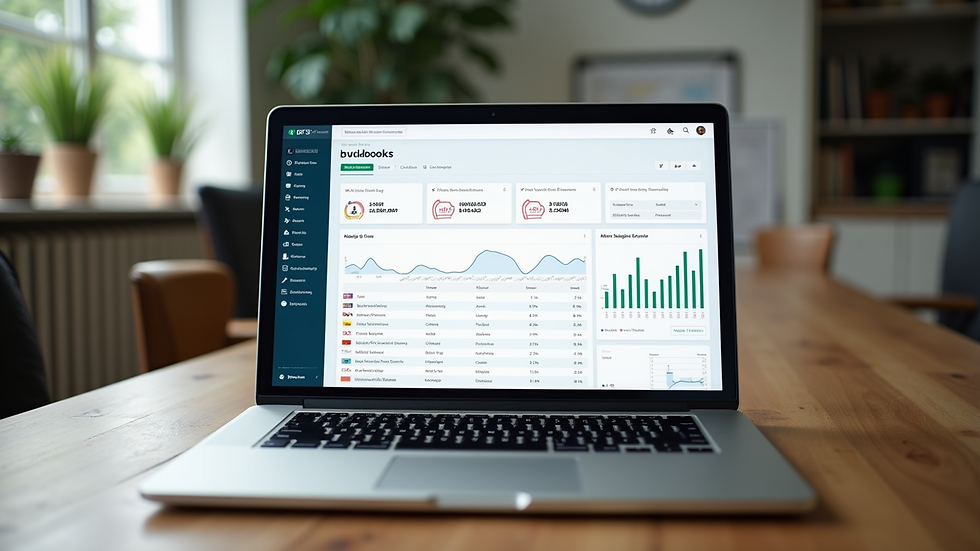
How QuickBooks Integration with Bookkeepers Improves Your Workflow
The integration between QuickBooks and bookkeepers streamlines your financial processes in several ways:
Real-time updates: Your bookkeeper can see your latest transactions and financial status without waiting for you to send files.
Accurate categorization: Bookkeepers ensure every transaction is correctly categorized, which helps with tax preparation and financial analysis.
Faster reporting: Monthly and quarterly reports are ready sooner, giving you timely insights into your business health.
Reduced errors: Automated syncing reduces manual entry mistakes, saving you from costly corrections.
Better cash flow management: With up-to-date records, your bookkeeper can help you forecast cash flow and plan expenses wisely.
For instance, if you receive a payment from a client, your bookkeeper can immediately record it in QuickBooks, apply it to the correct invoice, and update your accounts receivable. This keeps your books clean and your cash flow clear.
How much does it cost to have a QuickBooks bookkeeper?
One of the first questions I get asked is about cost. Hiring a QuickBooks bookkeeper can vary depending on your business size, transaction volume, and the level of service you need.
Here’s a rough breakdown:
Hourly rates: Many bookkeepers charge between $30 and $60 per hour. If you have a small number of transactions, this might be the best option.
Monthly packages: Some bookkeepers offer fixed monthly fees ranging from $200 to $800. This usually includes a set number of transactions, reconciliations, and reports.
Project-based fees: For specific tasks like year-end closing or tax preparation, you might pay a one-time fee.
Keep in mind that investing in a skilled bookkeeper can save you money in the long run by avoiding errors, missed deductions, and penalties. Plus, the time you save can be spent growing your business.
How to Choose the Right Online Bookkeeper for QuickBooks
Finding the right bookkeeper who understands QuickBooks and your business needs is crucial. Here are some tips to help you choose:
Look for QuickBooks certification: Certified bookkeepers have proven expertise with the software.
Check experience: Find someone who has worked with businesses similar to yours.
Ask about communication: You want a bookkeeper who responds promptly and explains things clearly.
Verify security practices: Your financial data must be handled securely.
Request references: Talk to other clients to learn about their experience.
Using an online bookkeeper for QuickBooks can be especially convenient. They work remotely, so you don’t have to worry about scheduling in-person meetings. Plus, they often use cloud-based tools that sync directly with your QuickBooks account.

Practical Steps to Get Started with QuickBooks and a Bookkeeper
If you’re ready to simplify your bookkeeping, here’s a step-by-step plan:
Set up your QuickBooks account: Make sure your company profile, bank accounts, and vendors are entered correctly.
Choose your bookkeeper: Use the tips above to find a qualified professional.
Grant access: Provide your bookkeeper with secure access to your QuickBooks account.
Define your needs: Discuss what services you want, such as transaction categorization, bank reconciliations, payroll, or tax preparation.
Schedule regular check-ins: Set up weekly or monthly meetings to review your financial reports and ask questions.
Keep communication open: Share any changes in your business or financial goals with your bookkeeper.
By following these steps, you’ll build a strong partnership that keeps your books accurate and your finances clear.
Why Partnering with a Remote Bookkeeping Service Works for Small Businesses
Remote bookkeeping services offer flexibility and affordability. You don’t need to hire a full-time employee or worry about office space. Instead, you get expert help tailored to your schedule and budget.
Remote bookkeepers use cloud-based software like QuickBooks Online, so your data is accessible anytime, anywhere. This means you can check your financial status on your phone or computer, and your bookkeeper can update records in real time.
Additionally, remote bookkeeping services often provide:
Scalability: Services grow with your business.
Cost savings: No overhead costs like office rent or equipment.
Access to specialists: You can find bookkeepers with specific industry knowledge.
This model fits perfectly with the needs of small businesses looking for reliable, affordable financial management.
Taking Control of Your Business Finances Today
Managing your books doesn’t have to be a headache. With QuickBooks integration with bookkeepers, you get a system that works for you. You save time, reduce errors, and gain financial clarity.
If you want to focus on what you do best - running your business - consider partnering with a professional bookkeeper who knows QuickBooks inside and out. This partnership will give you peace of mind and help your business thrive.
Start by exploring your options and reaching out to a trusted online bookkeeping service. Your financial future will thank you.


Comments